The Story Inside Everyone
There is a persistent myth that storytelling is a rare gift — something possessed by novelists, screenwriters, and bards. The truth is almost the opposite. Every person, at every age, is a natural story machine. Children prove it effortlessly: give a child twenty minutes, a forest, and an imaginary friend, and they will produce narrative complexity that would humble most professional writers.
What stops adults is not imagination. It is infrastructure. Writing a story from scratch requires sustained time, technical skill, and the willingness to sit with a blank page until something appears. Most of us never find the right conditions. The story stays locked inside.
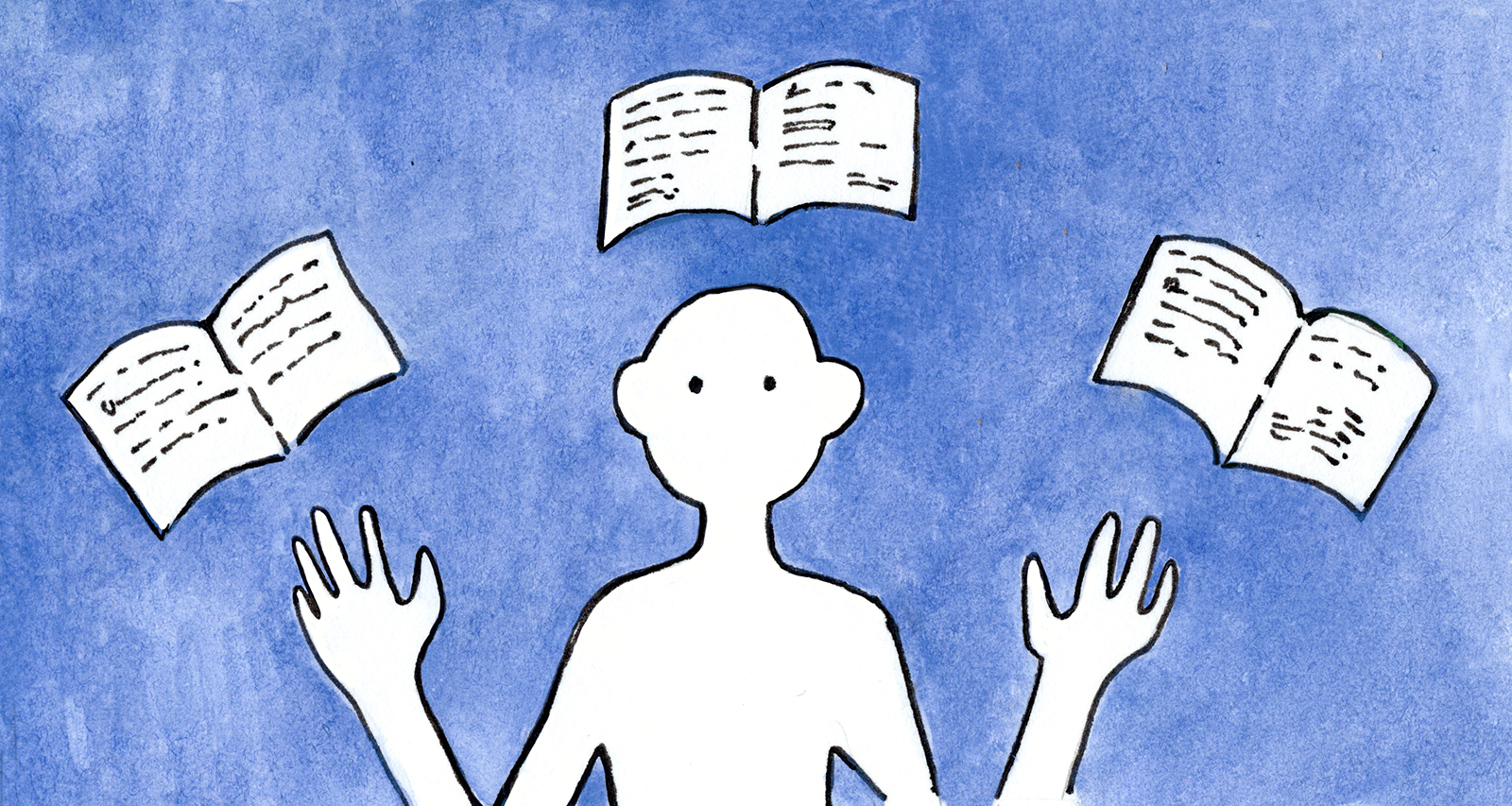
StoryLeaf was built on one central conviction: the infrastructure problem is now solvable. Generative AI can serve as the creative collaborator that used to require a writing partner, a professional illustrator, and years of practice. What you bring is the thing AI cannot manufacture — your curiosity, your choices, your voice.
"The technology is just the bottle. The culture is the message. The imagination is everything."
This guide is a map. It covers how StoryLeaf works from the inside — the story loop, the worlds you can inhabit, the image styles available to you, the advanced tools that unlock once you know the basics, and the subtle craft of steering AI toward stories that feel alive. Read it front to back once, then return to any section as a reference.
How It Works: The Story Loop
At the heart of StoryLeaf is a loop so simple you can explain it in one breath: you write something, the AI continues the story, an illustration appears, and you decide what happens next. Repeat until the tale is told — or until you want to branch it in a new direction entirely.
But the simplicity conceals real sophistication. Let's examine each stage.
Your Move
You are not writing to StoryLeaf — you are writing inside the world it has set up. When a new story begins, the AI describes your surroundings, introduces a situation, and leaves you room to act. You respond naturally, as you would in a conversation: "I ask the innkeeper what she knows about the forest." or "I ignore the strange sound and keep walking." or simply "I want to find the ship."
Short responses work better than long ones. StoryLeaf keeps its own outputs to 50–70 words by design — the sweet spot for interactive pacing. Matching that rhythm in your own inputs produces the most dynamic back-and-forth. Long paragraphs tend to slow the momentum; sharp, decisive sentences keep it alive.
The AI's Response
StoryLeaf runs on Claude — Anthropic's most capable reasoning model. Before generating its response, the AI thinks about your input: it considers the world's internal logic, the story so far, your character's relationships, and the narrative direction you seem to be steering toward. This thinking is hidden by default, but you can toggle it on with the /analysis command to see the reasoning behind each scene.
The response arrives as an immersive continuation — typically one vivid paragraph establishing situation, atmosphere, and new information — followed by an implicit or explicit invitation for your next move. NPCs speak. Weather changes. Consequences arrive. The world behaves consistently because the AI maintains an internal model of everything that has happened.
The Illustration
Every scene generates an illustration. The AI extracts the visual essence of the moment — not a literal transcription, but an interpretive image that captures mood, character, and setting. These are rendered at 1024×1024 pixels using state-of-the-art image generation models, then stored in your story's gallery.
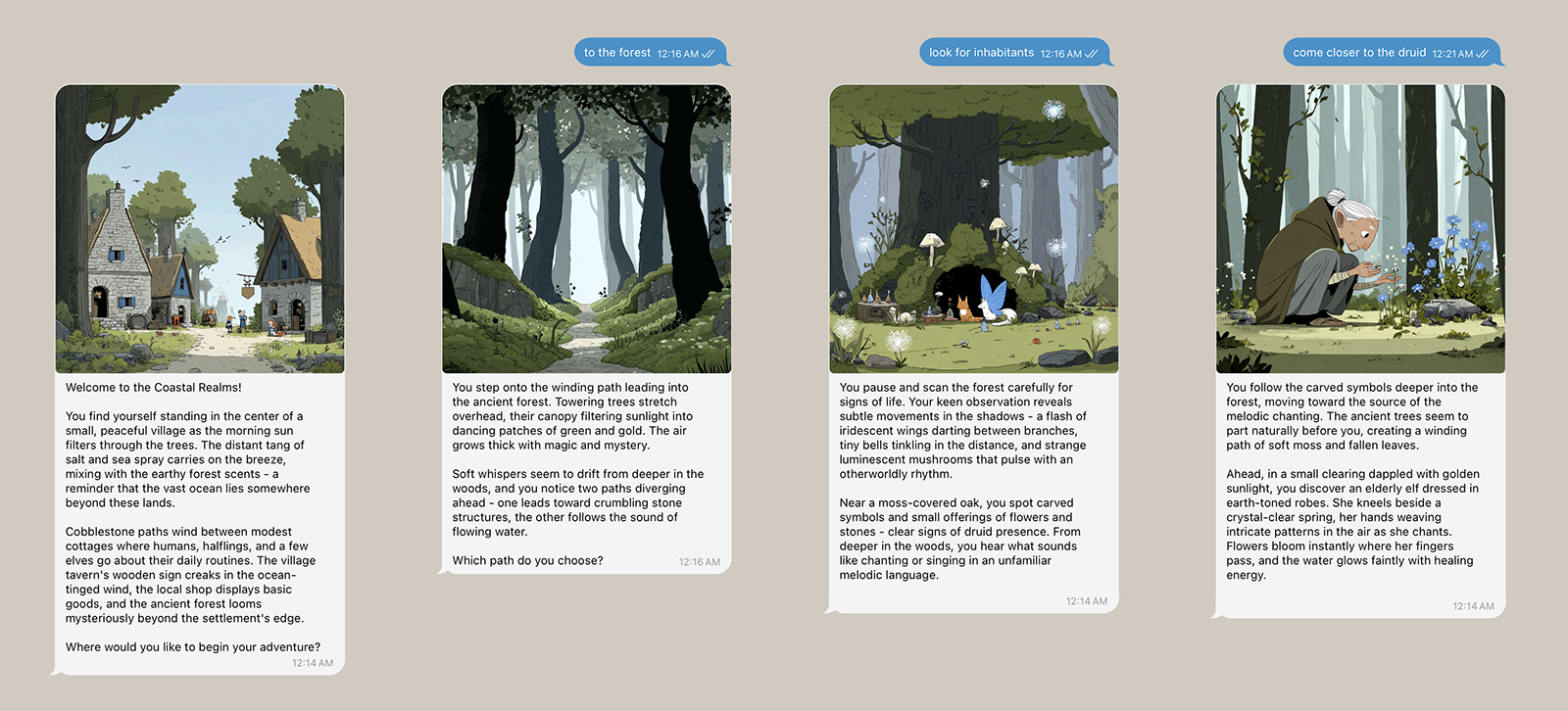
Image generation runs in parallel with text generation — you rarely wait more than a few seconds. A 400×400 thumbnail appears in your story index automatically, so your story is always visually browsable.
The Memory
StoryLeaf maintains a full transcript of your story — up to 999 messages — before automatically summarizing older context. This means characters you met in chapter one remember you in chapter ten. Choices you made early have consequences later. The world is not reset between sessions.
Your stories are private by default. You can publish them at any time, making them visible on the Stories page. Published stories can be forked by anyone — including you, to branch into alternate timelines.
Your Worlds
StoryLeaf is not one game — it is a collection of distinct universes, each with its own lore, tone, and possibility space. When you create a new story, you choose which world to inhabit. This choice shapes everything: the language the AI uses, the types of characters you encounter, the historical and physical rules of the setting.
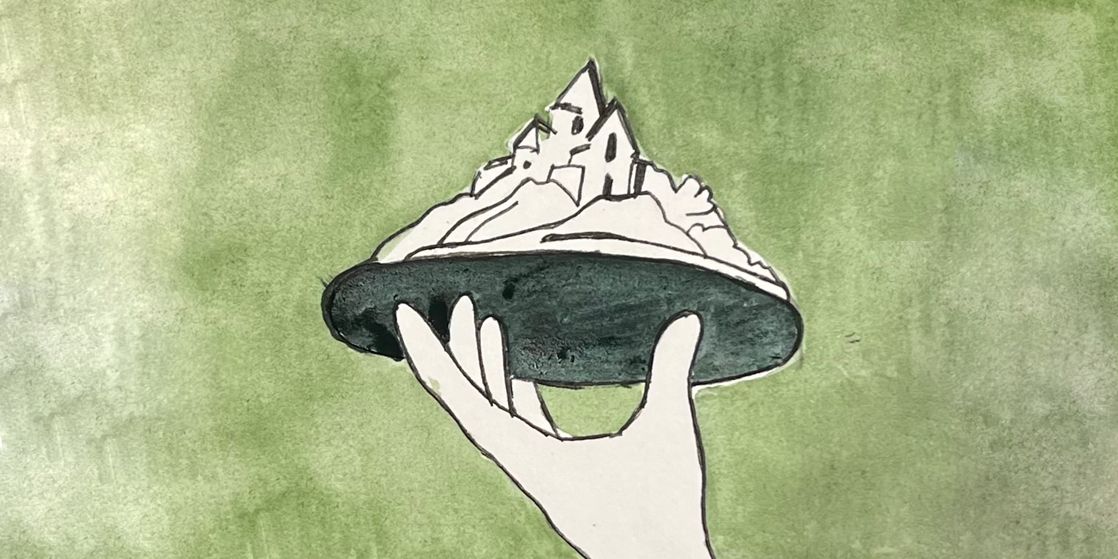
A medieval world of ocean trade routes, forest spirits, hidden coves, and ancient power. The default world — endlessly flexible, high in magic, rich in lore. Ideal for adventurers, scholars, pirates, and wanderers of all ages.
A sprawling dystopian megacity where corporate towers pierce smog clouds and underground networks carry revolution. Hackers, mercenaries, rogue AIs, and surveillance states define this neon-drenched future. For those who want their stories sharp and dark.
Sail the known (and unknown) world. Age of sail, colonial intrigue, hidden civilizations, sea monsters, and the thrill of cartography as adventure. Inspired by Swift's spirit of satirical wonder — the world is larger than any map suggests.
A world where divine animals hold the balance of nature and civilization. Shamanic traditions, sacred forests, ancient covenants, and the thin membrane between the mortal and spirit worlds. Beautiful, symbolic, and unlike anything else on the platform.
No lore, no constraints, no inherited rules. You describe the world — its physics, its history, its creatures, its tone — and the AI builds from that foundation. Custom World is for advanced storytellers who want to begin from zero. The sky is the limit because there is no sky yet.
Choosing the Right World
New users almost always find Coastal Realms to be the smoothest entry point. The fantasy setting is familiar, the AI's world-knowledge is deep, and the flexibility allows any kind of story from children's adventure to adult political intrigue. Neo-Metropolis suits people who already have a character archetype in mind — it rewards specificity. Animal Gods is the most visually distinctive choice, particularly if you intend to use Watercolor or Illustrated styles. Custom World is best saved until you have a clear sense of what StoryLeaf can do, so you know what to ask for.
The Art of Illustration
Every world looks different depending on the illustrator you choose. Illustration styles are applied at story creation and shape the visual language of every image generated in that story. Changing style mid-story is possible through image restyling (covered in Advanced Features), but starting with the right style prevents the need.
Standard
Rich, photorealistic renders with high detail and dramatic lighting. Strong sense of physical reality. Works well across all worlds but particularly effective in Neo-Metropolis and Coastal Realms.
Illustrated
Hand-crafted, storybook aesthetic with visible line work and warm tones. Evokes classic illustrated editions of fairy tales. Ideal for children's stories, Animal Gods, and any story with a literary feeling.
Watercolor
Soft, impressionistic washes of color with deliberate imprecision. Captures mood over detail, atmosphere over accuracy. Particularly beautiful for nature-heavy scenes, children's stories, and the Animal Gods world.
How Illustrations Are Generated
The AI maintains a dedicated Imaginary Illustrator — a layer that watches the story and, at each turn, translates the narrative moment into a visual description. This is not a screenshot of the text; it is an interpretation. The Illustrator is opinionated: it selects what is most visually resonant, adds symbolic elements, and sometimes surprises you with a perspective you didn't expect.
This is by design. The best illustrated stories in history — from Beatrix Potter to Hayao Miyazaki's film boards — always contained something the author didn't write explicitly. The illustrator is a creative collaborator, not a transcription service. StoryLeaf's Imaginary Illustrator works the same way.
Want four images per scene instead of one? The /images command activates a mode where the AI generates four variants of each illustration, and you choose your favorite. This uses more credits per frame but gives you creative control over the visual direction of your story.
Where You Can Play
StoryLeaf is available on two platforms. Both access the same stories, the same AI, and the same image generation pipeline. The choice between them is purely about workflow preference.
🌐 Web Studio
- Full visual interface
- Story gallery with thumbnails
- Image selection and management
- One-click publishing
- EPUB and video export
- 50 starting credits
- Magic link login (no password)
✈️ Telegram Bot
- Story in your existing chat app
- Play anywhere, any device
- Voice message support
- Inline keyboard navigation
- Quick commands (/undo, /status)
- 15 starting credits
- Start: @StoryLeaf_Bot
Stories created on either platform are accessible on the other. If you start a story in Telegram, you can load it in the Web Studio to edit images, export, or publish. The platforms complement each other rather than competing.
For children: Telegram is often the easier interface for young readers who already use messaging apps. Web Studio is better for parents who want to manage, curate, and export their child's stories.
Advanced Features
Once you have the story loop in your hands, several more powerful capabilities open up. These are not beginner features — they reward familiarity with how the system behaves.
Story Forking
Branch from any point in history
Forking creates a copy of a story at a specific frame. From that copy, you can take the narrative in an entirely different direction while keeping the original intact. Think of it as parallel timelines: the same character, the same world, but a different path through it.
Forking is particularly powerful for stories you love but want to explore differently — a story where you said yes could become a story where you said no. Published stories on the Stories page can also be forked by anyone, creating a collaborative creative ecosystem. Your story becomes source material for other imaginations.

Voice Narration
Your story, read aloud
Toggle /voiceover to enable text-to-speech narration for every frame. The voice model (OpenAI's TTS with the "onyx" voice) is warm, deep, and paced for storytelling — not for search results. It carries the DNA of old radio plays.
Voice narration is particularly useful for children who prefer listening to reading, for accessibility, and for reviewing stories on the move. When voice is active, each frame arrives with an audio track automatically.
Export Formats
When a story is ready to leave the platform, three export paths are available:
-
1EPUB (.epub) A standard ebook format readable on Kindle, Apple Books, and most e-readers. Your story becomes a proper illustrated book — frames as chapters, images embedded, title and author metadata included.
-
2Slideshow (.mp4) A video where each illustrated frame appears in sequence with text overlaid. Generated using FFmpeg; suitable for sharing on social media, presenting to an audience, or archiving a story in a format anyone can watch.
-
3Audiobook (.mp3) The story narrated in full, frame by frame, with the "onyx" voice. The output is a single audio file: your story as a podcast episode, a bedtime recording, or a commute companion.
Image Restyling
Change the visual language of an existing story
Restyling regenerates all illustrations in a story under a different style, then saves the result as a new forked story. Your original remains untouched. This is how you can explore how the same narrative feels in Watercolor versus Illustrated — two aesthetically different artifacts from one source story.
Multi-language Support
Write and read in your own language
StoryLeaf responds in whatever language you use. Write in Russian, French, Spanish, Japanese — the AI adapts automatically. Stories can also be translated wholesale: the /translate workflow forks an existing story and renders all frames in a target language, preserving the original.
Thinking Mode
See the AI's reasoning
Toggle /analysis in Telegram to display the AI's thinking alongside its response. You see how it interpreted your input, what narrative options it considered, and why it chose the direction it took. Useful for understanding the system and for debugging unexpected story turns.
AI Model Selection
StoryLeaf defaults to Claude Sonnet — the ideal balance of creativity, speed, and cost. Power users who want deeper world-building, more complex NPC behavior, and richer prose can switch to Claude Opus via the /model command. Opus takes slightly longer per frame and uses more credits, but the quality difference is perceptible in long, complex narratives.
Crafting Better Stories
StoryLeaf rewards a particular relationship with the AI: not commanding it, but collaborating with it. These are the patterns that consistently produce the most vivid, surprising, and satisfying stories.
Use specificity like a brush
Generic inputs produce generic responses. The more specific your actions, the richer the AI's response. Compare "I look around" to "I look for anything that could be used as a boat oar." The first invites a scene description. The second opens a puzzle, a character interaction, an object with history. Specificity is the primary lever you have on story quality.
Let your quirks become the story's DNA
StoryLeaf doesn't just tolerate your idiosyncrasies — it amplifies them. If you mention in passing that you always greet people with a formal bow, the AI will weave that into character reactions. If you start writing haikus to describe your surroundings, the AI will begin generating haikus for your character on every turn. Your personality, imported consistently, becomes the story's distinctive texture.
Don't explain — act
First-person actions produce stronger results than third-person explanations. "I want the story to go toward the mountain" is weaker than "I start walking toward the mountain." The AI interprets actions as story beats; explanations as instructions. Trust the system — it will follow your lead without needing a roadmap.
Use /undo as an editing tool
The /undo command removes the last frame from your story. This is not cheating — it is editing. If a scene went in a direction that doesn't serve the story, undo it and try a different approach. Professional writers revise. You should too.
Saving a story you love: Export to EPUB before a long session ends. Stories are permanent in your account, but having a local copy means your favorite narrative is always accessible, even offline.
Shape the visual story intentionally
The AI generates image prompts from narrative content, but you can influence what gets depicted by describing visual details in your inputs. Mentioning colors, lighting, specific objects, and character appearances increases the chance they appear in illustrations. You are not writing image prompts — you are writing story beats that contain visual cues. The difference matters: the AI will always prioritize narrative coherence over your visual preferences, but strong narrative detail and strong visual detail often coincide.
Work with the 50-word rhythm
The AI is calibrated for short, punchy exchanges. If responses feel too brief for the depth you want, try asking the AI explicitly to elaborate on a specific element: "Tell me more about what the innkeeper looks like." or "Describe the sounds coming from the forest." These prompts work better than asking for "a longer response" — they give the AI something concrete to expand on within its natural rhythm.
Getting Started
If you have read this far, you are ready. The system is simple enough to start in thirty seconds; deep enough to reward months of exploration. Here is the path of least resistance to your first story.
-
1Choose your platform Go to Story Studio in your browser, or open Telegram and find @StoryLeaf_Bot. Both require no installation. Web Studio uses magic link login — enter your email, click the link, you are in.
-
2Create a new story Select New Story. You will be asked for a world (start with Coastal Realms), a style (start with Standard or Illustrated), and a language. That is all the setup required. The AI takes it from there.
-
3Begin with curiosity The AI will set a scene. Read it, pick one thing that interests you, and react to it. Ask a question. Touch something. Move toward the horizon. Your first move does not need to be clever — it needs to be yours. The story will grow from there.
Ready to begin?
Your first 50 credits are free. That is enough for a full short story with illustrations — no credit card required.
Command Reference
These commands work in the Telegram Bot. Most also have equivalents in the Web Studio interface.
/newstory — Start a new story with world, style, and language selection wizard.
/quickstart — Skip the wizard and start a story immediately with default settings.
/undo — Remove the last frame. Use freely as an editing tool.
/analysis — Toggle display of the AI's reasoning alongside each response.
/voiceover — Toggle text-to-speech narration for each frame.
/images — Toggle four-variant image selection mode (choose your favorite per scene).
/restyle — Fork the current story with new illustration style.
/ebook — Export story as a formatted EPUB file.
/slideshow — Export story as an MP4 video slideshow.
/audiobook — Export story as a narrated MP3 audio file.
/model — Switch AI model (sonnet for speed, opus for depth).
/status — Check your credit balance and account information.
/load — Load a previously created story to continue it.
/login — Link your Telegram account to your StoryLeaf email account.